 Farid Zaripov
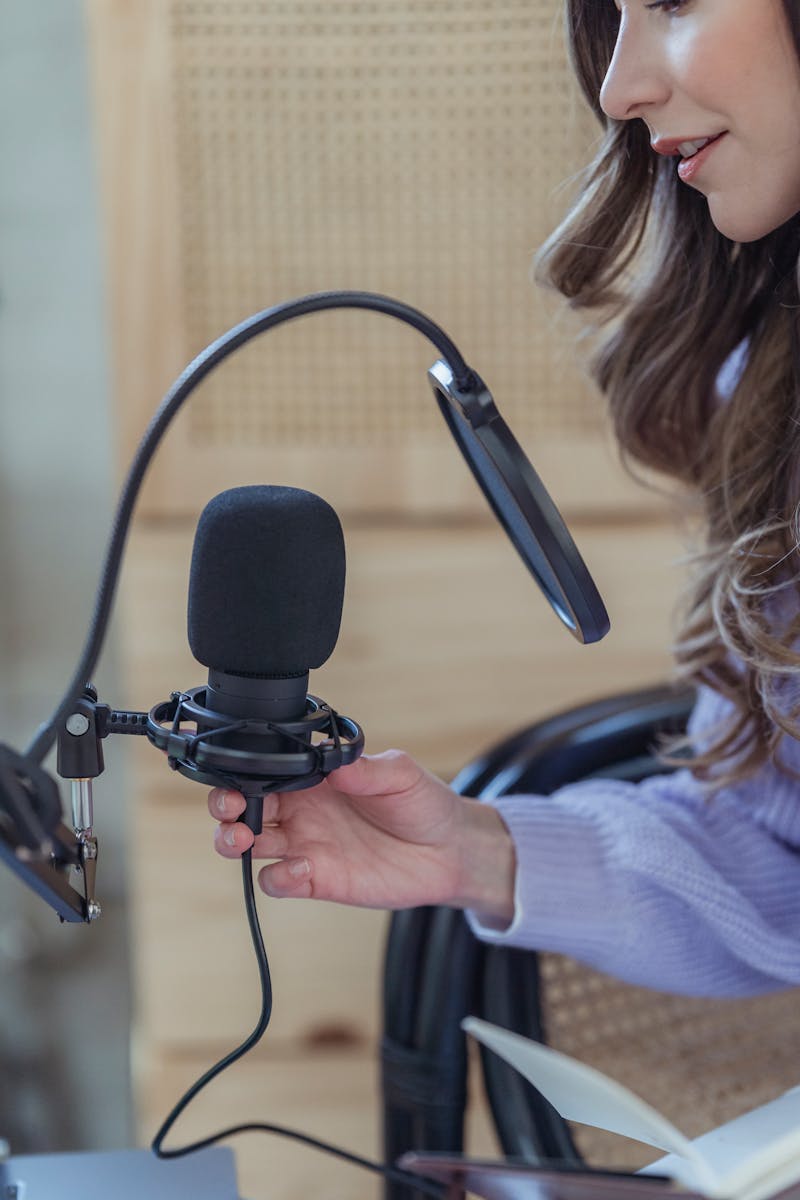
Podcasting has exploded from a niche hobby into a global medium with over 500 million listeners worldwide. Whether you want to launch an interview show, a solo commentary, or a narrative series, the barrier to entry has never been lower. This guide walks you through every step — from choosing your format to publishing your first episode.
Planning Your Podcast
Before buying any equipment, make three fundamental decisions:
Format
The format shapes everything — your equipment needs, editing complexity, and time investment. Common formats include:
- Solo monologue — one host sharing expertise or commentary. Simplest to produce but requires strong speaking skills.
- Interview / co-hosted — two or more voices. More dynamic, but requires scheduling and potentially remote recording.
- Narrative / storytelling — scripted, often with music, sound effects, and multiple segments. Highest production effort but most engaging.
- Panel / roundtable — group discussion on a topic. Energetic but challenging to mix and edit cleanly.
Episode Length
There is no magic number. Data from podcast analytics platforms suggests:
- Under 15 minutes — daily news briefings, quick tips (high completion rate)
- 20–40 minutes — the most popular range for interview and educational shows
- 60–90+ minutes — deep dives, long-form conversation (loyal but smaller audience)
Start with a length you can consistently maintain. A weekly 25-minute show is better than a sporadic 90-minute one.
Niche and Audience
Specificity wins in podcasting. "A show about music" competes with millions. "A show about the science behind music production" has a clear, searchable identity. Define your target listener: who are they, what problem are you solving, and why should they subscribe?
Equipment: What You Actually Need
You do not need a professional studio to sound professional. Here is a practical equipment guide organized by budget:
Budget Tier ($30–60)
- Microphone: A USB condenser mic like the Fifine K669 or Maono AU-A04 ($30–40). USB mics plug directly into your computer — no audio interface needed.
- Headphones: Any closed-back headphones you already own, or budget models like the Sony MDR-ZX110 ($15).
- Pop filter: A $5–10 mesh or foam pop filter dramatically reduces plosive sounds (hard "P" and "B" bursts).
Mid-Range Tier ($100–200)
- Microphone: Audio-Technica AT2005USB ($80) — a dynamic/USB hybrid that rejects room noise better than condensers. Alternatively, the Samson Q2U ($70) offers similar versatility.
- Headphones: Audio-Technica ATH-M20x ($50) — flat frequency response for accurate monitoring.
- Boom arm: A desk-mount arm ($20–30) positions the mic correctly and reduces vibration transfer from your desk.
Professional Tier ($300+)
- Microphone: Shure SM7B ($399) or Rode PodMic USB ($179) — broadcast-quality dynamic microphones that reject room reflections and handle proximity effect beautifully.
- Audio interface: Focusrite Scarlett Solo ($120) if using an XLR mic — provides clean preamp gain and low-latency monitoring.
- Headphones: Beyerdynamic DT 770 Pro ($160) — industry standard for closed-back monitoring.
- Acoustic treatment: Even two or three foam panels ($30–50) behind the mic make a noticeable difference.
Rule of thumb: A $70 dynamic mic in a treated room will sound better than a $300 condenser in a reverberant kitchen.
Recording Environment
Room acoustics matter more than microphone price. Hard, flat surfaces (walls, desks, windows) reflect sound waves, creating echo and a "hollow" quality. Here is how to improve your space without building a studio:
- Closet recording: A walk-in closet full of clothes is naturally sound-absorbing. Many professional podcasters record in closets.
- Soft furnishings: Record in a room with carpet, curtains, a couch, bookshelves. These all absorb reflections.
- DIY vocal shield: Hang a thick blanket behind your mic, or place cushions around it. This absorbs the reflections that reach the mic from behind.
- Avoid kitchens and bathrooms: Tile and hard surfaces create the worst reflections.
- Close windows and doors: External noise (traffic, birds, HVAC) is impossible to fully remove in post-production.
Recording: Software and Technique
Recording Software Options
You do not need expensive software. Several excellent options are free:
- Browser-based recording — tools like the Timbrica audio recorder let you record directly in your browser with no installation. Files stay on your device.
- Audacity (free, cross-platform) — the most popular open-source audio editor. Records, edits, and exports in all common formats.
- GarageBand (free, Mac/iOS) — surprisingly capable for podcast recording and basic editing.
- OBS Studio (free) — primarily for streaming, but excellent for recording audio (and video if you also stream).
For remote interviews, dedicated platforms like Riverside.fm or Zencastr record each participant locally, avoiding quality loss from internet compression.
Recording Technique
Good technique at recording time saves hours of editing later:
- Microphone distance: Position the mic 4–8 inches (10–20 cm) from your mouth, slightly off-axis (angled about 20° to one side to reduce plosives).
- Set gain properly: Your voice peaks should reach about −12 to −6 dB on the meter. This leaves headroom for louder moments without clipping. If your peaks hit 0 dB, you are too loud — turn the gain down.
- Monitor with headphones: Always wear headphones while recording so you hear problems in real-time (background noise, distortion, cable bumps).
- Record at 44.1 kHz / 16-bit minimum: This is CD quality and more than sufficient for speech. 48 kHz / 24-bit is ideal if your interface supports it.
- Leave silence at the start: Record 10 seconds of "room tone" (silence in your environment) before speaking. This gives noise reduction tools a clean noise profile to work with.
- Clap or use a marker: If recording multiple tracks or video simultaneously, a sharp clap at the start provides a visual spike for synchronization.
Editing Workflow
A consistent editing workflow will make your production efficient and your show sound polished. Here is a step-by-step process:
Step 1: Clean Up
Remove long pauses, "um/uh" filler words (if they are distracting — not all need removal), coughs, and off-topic tangents. Use the audio trimmer to cut unwanted sections. Aim for natural-sounding edits, not robotic perfection — listeners expect a human quality.
Step 2: Noise Reduction
Background hiss, hum, or fan noise should be reduced before any other processing. The noise reduction tool can remove consistent background noise while preserving voice clarity. Process this first because later steps (compression, EQ) will amplify any noise left in the recording.
Step 3: EQ for Voice
Equalization shapes the tonal quality of your voice. A common voice EQ approach:
- High-pass filter at 80 Hz — removes rumble, air conditioning hum, and handling noise
- Reduce 200–400 Hz slightly (−2 to −4 dB) — tames "muddy" or "boxy" quality common in small rooms
- Boost 2–5 kHz slightly (+1 to +3 dB) — adds clarity and "presence" to speech
- Gentle roll-off above 12 kHz — reduces sibilance ("s" sounds) if they are harsh
Use the audio enhancer for one-click voice enhancement that applies these principles automatically.
Step 4: Compression
Dynamic range compression evens out volume differences — making whispers louder and shouts softer. This is critical for podcasts where listeners are often in cars or using earbuds in noisy environments. Recommended settings for voice:
- Ratio: 3:1 to 4:1
- Threshold: −18 to −12 dB (adjust so compression engages on normal speech)
- Attack: 5–15 ms (fast enough to catch peaks, slow enough to sound natural)
- Release: 50–100 ms
- Makeup gain: Increase to compensate for volume reduction
The audio compressor tool handles this with simple presets optimized for speech and music.
Step 5: Loudness Normalization
Podcast platforms have specific loudness standards to ensure consistent volume across different shows:
- Apple Podcasts / Spotify: −16 LUFS (integrated loudness) for stereo, −19 LUFS for mono
- True peak: should not exceed −1 dB TP
- YouTube: targets −14 LUFS (if publishing video versions)
LUFS (Loudness Units Full Scale) measures perceived loudness over the entire episode, not just peak levels. Normalizing to −16 LUFS ensures your show sounds the same volume as other podcasts on the platform.
Step 6: Add Intro/Outro
A short musical intro (5–15 seconds) and outro give your show a professional, recognizable identity. Keep it consistent across episodes. Use royalty-free music or compose your own. Many podcast intros follow this formula: music bed → host says show name and episode topic → music fades under → content begins.
Export Settings
Getting export settings right ensures compatibility with all podcast platforms and acceptable file sizes:
- Format: MP3 (universally compatible with all podcast players and RSS feeds)
- Bitrate: 128 kbps for mono speech, 192 kbps for stereo or music-heavy shows. Going higher adds file size without audible improvement for spoken content.
- Sample rate: 44.1 kHz
- Channels: Mono is preferred for single-host spoken word (smaller files, better compatibility). Use stereo if you have music, sound design, or spatial effects.
- ID3 tags: Include episode title, show name, episode number, and artwork in the file metadata.
Use the audio converter to convert your edited WAV or FLAC file to MP3 with the correct bitrate settings.
Hosting and Distribution
A podcast host stores your audio files and generates the RSS feed that platforms like Spotify and Apple Podcasts read. Popular hosting options include:
- Free: Spotify for Podcasters (formerly Anchor), Acast Basic
- Paid ($5–20/month): Buzzsprout, Podbean, Transistor, Libsyn — offer analytics, custom domains, and multiple show support
Once your RSS feed is live, submit it to:
- Apple Podcasts — the largest podcast directory (~35% of listens)
- Spotify — second largest and growing fastest (~25% of listens)
- Google Podcasts / YouTube Music — expanding podcast presence
- Amazon Music / Audible — growing platform
- Pocket Casts, Overcast, Castro — popular among dedicated podcast listeners
Most platforms index your show within 24–72 hours of RSS submission. After initial submission, new episodes are automatically picked up from your RSS feed.
Common Beginner Mistakes
Avoid these pitfalls that trip up most new podcasters:
- Recording in echo-heavy rooms — fix your room before upgrading your mic
- Gain too high — clipped audio cannot be repaired. Always leave headroom.
- Skipping noise reduction — consistent background noise becomes extremely noticeable after compression
- Over-editing — removing every pause and breath makes audio sound robotic and exhausting to listen to
- Inconsistent schedule — release on the same day and time every week. Listeners build habits around schedules.
- Ignoring loudness standards — if your show is noticeably quieter than others, listeners will skip it
Your First Episode Checklist
Ready to start? Here is a practical checklist for your first recording session:
- Write an outline (not a word-for-word script — bullet points keep delivery natural)
- Set up your microphone 4–8 inches from your mouth, slightly off-axis
- Record your audio with headphones on, watching your levels stay below −6 dB peak
- Record 10 seconds of silence at the start for noise profiling
- Edit: trim dead air, reduce noise, enhance voice, compress dynamics
- Normalize to −16 LUFS and export as MP3 128 kbps mono
- Upload to your podcast host and submit RSS to directories
The most important step is the simplest: start recording. Your fifth episode will sound dramatically better than your first, and your twentieth will sound professional. Equipment and technique matter, but consistency and practice are what make a great podcast.
